
Best Gaming Chairs 2026: Expert-Tested Picks for Every Gamer
Gaming has evolved from a casual hobby into a lifestyle that demands serious equipment investment. While gamers often focus on graphics cards, monitors, and peripherals, the chair supporting hours of gameplay deserves equal attention. Professional esports athletes spend 8-12 hours daily in their chairs, while casual gamers average 6-8 hours per session during weekends. The best gaming chairs address posture, circulation, focus, and long-term spinal health through specialized design features.
What Makes a Gaming Chair Different from Regular Office Chairs
Gaming chairs differ from standard office furniture through design philosophy and target usage patterns. Office chairs prioritize professional aesthetics and basic comfort for 8-hour workdays with limited movement. Gaming chairs engineer solutions for extended sessions requiring rapid movements, varied postures, and sustained focus during competitive play.
Gaming chairs incorporate high lateral support through bolstered side wings that maintain spinal alignment during intense gameplay moments. These raised edges prevent slouching and keep the spine aligned when leaning during competitive matches. The wings create defined seating zones that guide proper posture naturally. Office chairs typically offer flat, unrestricted backrests allowing more freedom of movement but providing less structural support for extended static postures.
The ergonomic approach differs fundamentally between categories. Office chairs assume users will take regular breaks, stand for meetings, and vary their activities throughout the workday. Gaming chairs assume users will remain seated for 4-8 hour continuous sessions with minimal position changes beyond controlled recline adjustments.
|
Feature Category |
Gaming Chairs |
Office Chairs |
|
Recline Range |
135-180 degrees |
90-120 degrees |
|
Lumbar Support Type |
Adjustable external pillows + built-in |
Fixed built-in only |
|
Armrest Adjustability |
4D (height, width, depth, angle) |
1D-2D (height, width) |
|
Side Bolsters |
High lateral support wings |
Flat or minimal support |
|
Base Design |
5-point reinforced steel |
Standard 5-point plastic/aluminum |
|
Headrest Support |
Removable adjustable pillow |
Integrated fixed or none |
|
Material Focus |
Breathability + durability |
Professional appearance |
|
Weight Capacity |
250-500 lbs |
200-300 lbs |
|
Price Range |
$150-$1,500 |
$100-$800 |
The recline capabilities differ substantially. Standard office chairs recline 90-120 degrees, while gaming chairs extend to 135-180 degrees, accommodating longer rest periods between sessions without leaving the setup.
Material selection reveals another key difference. Gaming chairs use PU leather, PVC, or breathable mesh designed for temperature fluctuations from extended use. The best gaming chair brands engineer materials specifically for moisture wicking and temperature regulation.
Armrest technology represents perhaps the most significant functional gap. Gaming chairs feature 4D adjustment systems allowing independent control of height, width, depth, and rotational angle. This precision enables perfect alignment for keyboard and mouse positioning.
Key Features to Look for in the Best Gaming Chair
Ergonomic Design and Lumbar Support
Lumbar support stands as the single most important ergonomic feature. The lumbar spine curves naturally inward, and unsupported sitting flattens this curve, causing disc compression and muscle strain. Quality lumbar systems maintain the spine's natural S-curve during extended sessions.
Modern gaming chairs offer three lumbar support approaches: external adjustable pillows, built-in adjustable mechanisms, and hybrid systems combining both for maximum customization.
"Proper lumbar support reduces lower back pressure by 35-40% during seated gaming sessions and decreases muscle fatigue by up to 50% after 4+ hours of continuous use." - Ergonomic Studies Institute
The lumbar pillow depth matters significantly. Optimal depth ranges from 2.5-4 inches, offering substantial pressure while remaining comfortable. Adjustability in lumbar support enables accommodation for different gaming postures. Competitive FPS players sit upright, requiring higher lumbar placement at the L4-L5 vertebrae level. Strategy and RPG gamers often recline slightly, needing lower support at L5-S1.
Adjustability Options: Armrests, Height, and Recline
Armrest configuration directly impacts gaming performance through its effect on shoulder, elbow, and wrist positioning. The industry progressed from fixed armrests to 4D adjustment systems offering height, width, depth, and angle control.
|
Adjustment Type |
1D |
2D |
3D |
4D |
|
Height Range |
3-4 inches |
3-4 inches |
3-5 inches |
3-5 inches |
|
Width Range |
Fixed |
2-3 inches |
2-4 inches |
2-4 inches |
|
Depth Range |
Fixed |
Fixed |
2-3 inches |
2-4 inches |
|
Angle Pivot |
Fixed |
Fixed |
Fixed |
0-30 degrees |
|
Ideal For |
Basic gaming |
Casual play |
Competitive gaming |
Professional esports |
|
Price Impact |
+$0 |
+$50-80 |
+$100-150 |
+$150-250 |
Height adjustment mechanisms divide into pneumatic gas lifts and manual screw systems. Pneumatic lifts offer smooth, tool-free adjustment across 4-6 inches, supporting 250-400 lbs depending on cylinder quality. Class 4 gas lifts withstand 100,000+ adjustments before requiring replacement.
Recline functionality extends beyond simple angle adjustment. Lock mechanisms allow fixing the backrest at specific angles, essential for maintaining posture during intense gameplay. Tilt tension control adjusts resistance, accommodating different body weights. The recline range defines versatility—90-110 degrees for competitive gaming, 110-130 degrees for strategy games, and 135-180 degrees for rest periods.
Material Quality: Leather, Fabric, and Mesh Compared
Material selection affects durability, maintenance, temperature management, and aesthetic longevity. Each material presents distinct advantages and limitations.
|
Material Type |
Breathability |
Durability (Years) |
Cleaning Difficulty |
Heat Retention |
Moisture Resistance |
Price Impact |
|
PU Leather |
Low |
2-4 |
Very Easy |
High |
Excellent |
Base |
|
PVC Leather |
Very Low |
3-5 |
Very Easy |
Very High |
Excellent |
Base |
|
Genuine Leather |
Low-Medium |
5-8 |
Moderate |
High |
Good |
+$200-400 |
|
Fabric (Cloth) |
High |
3-5 |
Difficult |
Low |
Poor |
+$0-50 |
|
Mesh |
Very High |
4-6 |
Easy |
Very Low |
Good |
+$100-200 |
|
Hybrid (Leather + Mesh) |
Medium-High |
3-5 |
Moderate |
Medium |
Good |
+$150-250 |
PU leather dominates the market due to its balance of affordability, durability, and appearance. This synthetic material resists spills effectively, simplifies cleaning through simple wiping with damp cloths, and maintains consistent appearance for 2-4 years under normal use. The material proves particularly practical for environments where food and drinks are present, as spills can be addressed immediately without permanent damage risk.
However, PU leather shows significant limitations in breathability, causing noticeable heat buildup during sessions exceeding 3 hours. Temperature increases of 5-8°F above ambient room temperature occur in the contact areas where body and chair meet. This heat accumulation leads to discomfort, sweating, and the need for cooling breaks during marathon gaming sessions. Users in warm climates or rooms without air conditioning find this limitation particularly problematic during summer months.
Genuine leather elevates aesthetics and extends lifespan substantially but increases initial cost by $200-400 compared to PU alternatives. Top-grain leather maintains appearance and structural integrity for 5-8 years, developing a natural patina that many users consider desirable. The material requires conditioning every 6-12 months with specialized leather care products to prevent cracking and drying, adding ongoing maintenance requirements.
Fabric upholstery excels in breathability and temperature management, maintaining ambient temperature throughout extended sessions without the heat buildup characteristic of leather materials. Various fabric types offer different textures and durability profiles—tightly woven fabrics resist wear better while looser weaves provide maximum breathability. However, fabric absorbs spills rather than repelling them, traps odors over time from sweat and environmental factors, and shows wear patterns more quickly than leather alternatives in high-friction areas.
Mesh construction represents the premium breathability solution, using woven synthetic fibers that allow continuous airflow through the backrest. High-quality mesh supports 250+ lbs without sagging when properly tensioned across the frame, maintains shape for 4-6 years, and reduces contact surface temperature by 8-12°F compared to leather. The material particularly benefits users who game in warm environments or experience excessive perspiration during intense competitive sessions.
Hybrid approaches combine leather surfaces on high-contact areas like seat cushions and armrests with mesh panels integrated into the backrest and sometimes seat center. This configuration balances durability where friction occurs most frequently with breathability in heat-generating zones. Premium gaming chair brands utilize this approach in models targeting extended session comfort without sacrificing the traditional gaming chair aesthetic that many users prefer.
Weight Capacity and Build Durability
Weight capacity specifications indicate overall structural integrity and long-term durability. Manufacturers engineer chairs to stated capacity with 20-30% safety margins.
|
Component |
Budget Grade |
Mid-Range Grade |
Premium Grade |
Lifespan Impact |
|
Frame Material |
Plastic-reinforced steel |
Steel tube (1.5mm) |
Steel tube (2.0mm+) |
2-3 years vs 5-7 years |
|
Base Type |
Nylon 5-point |
Nylon 5-point heavy-duty |
Aluminum/steel 5-point |
2-4 years vs 5-8 years |
|
Gas Lift Class |
Class 2 |
Class 3 |
Class 4 |
50k vs 100k+ cycles |
|
Caster Material |
Hard plastic |
PU coating |
Rubberized PU |
1-2 years vs 4-6 years |
|
Foam Density |
1.6-1.8 lb/ft³ |
1.8-2.2 lb/ft³ |
2.2-2.5 lb/ft³ |
Sag in 1 year vs 3-5 years |
|
Weight Capacity |
220-280 lbs |
280-350 lbs |
350-500 lbs |
N/A |
|
Expected Lifespan |
2-3 years |
4-5 years |
6-10 years |
N/A |
Gas lift cylinders warrant particular attention as failure points. Class 4 cylinders represent commercial-grade components, handling 400+ lbs for 6-10 years.
Foam density measured in pounds per cubic foot determines cushion longevity. High-density foam exceeding 2.2 lb/ft³ resists compression for 4-6 years, justifying premium pricing through extended comfort.
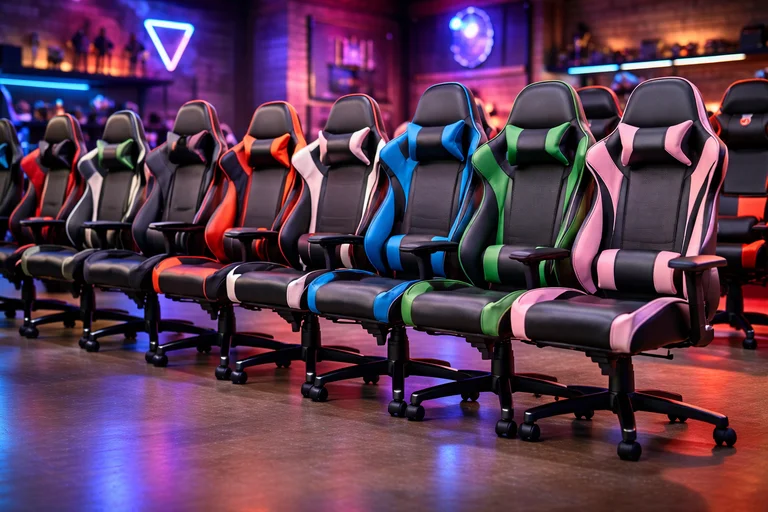
Best Gaming Chair Brands: Who Leads the Market
Premium Tier Manufacturers
Premium gaming chair brands command $500-$1,500 price points through superior engineering and extended warranties.
Secretlab dominates the premium segment through proprietary technology. Their cold-cure foam maintains density for 6+ years, and warranties extend to 5 years covering all components including upholstery wear.
Herman Miller entered gaming through collaboration with Logitech. The Embody Gaming chair incorporates pixelated support technology distributing pressure across 100+ support points. Pricing exceeds $1,400 but includes 12-year warranties.
Noblechairs emphasizes genuine leather options and refined aesthetics. Frame construction employs 2.0mm steel tubing, and foam density reaches 2.4 lb/ft³ with expected lifespans exceeding 8 years.
Mid-Range Quality Brands
The mid-range segment occupies the $250-$500 bracket, balancing quality components with accessible pricing.
|
Brand |
Price Range |
Key Feature |
Weight Capacity |
Warranty |
Best For |
|
Corsair |
$280-$450 |
Wide seat design |
275-330 lbs |
2 years |
Larger gamers |
|
Razer |
$350-$500 |
RGB integration |
299 lbs |
3 years |
Peripheral ecosystem users |
|
GTRACING |
$150-$280 |
Bluetooth speakers |
300 lbs |
1 year |
Budget-conscious buyers |
|
AKRacing |
$300-$480 |
Racing authenticity |
330 lbs |
3-5 years |
Sim racing enthusiasts |
|
DXRacer |
$250-$400 |
Extensive sizing |
220-450 lbs |
2 years |
Height variety needs |
DXRacer pioneered the gaming chair category and maintains consistent quality standards with extensive size availability covering users from 5'0" to 6'7".
Budget-Friendly Options That Don't Compromise
Budget gaming chairs under $250 require careful selection to avoid quality sacrifices.
GTRACING leads the budget segment through aggressive pricing on feature-rich packages. Models include bluetooth speakers and USB massage lumbar pillows at prices competing with basic office chairs. Expected lifespan reaches 2-3 years under normal use at $120-$180 pricing.
Best PC Gaming Chair Types for Different Gaming Styles
Racing-Style Gaming Chairs
Racing-style chairs dominate the market, comprising 70-80% of available models. This design originates from automotive racing seats, adapting their high-bolster construction for gaming applications.
The signature feature involves raised side wings on both the backrest and seat cushion. These bolsters provide lateral support during intense gaming moments when users involuntarily lean or shift weight, maintaining spinal alignment despite movement. The wings create a cocoon effect that many users find comforting and secure during extended sessions, though others perceive it as restrictive compared to open executive-style designs.
Bucket seat construction characterizes racing-style designs, featuring integrated backrest and seat base units connected through the chair's frame. This unified structure distributes weight across a larger surface area compared to separate cushion designs, reducing pressure points that develop during extended sessions. The construction also provides greater stability during recline movements and weight shifts.
The downward-sloping seat front edge, often called a waterfall edge, prevents circulation compression at the knee junction. This design element proves particularly important during multi-hour sessions where poor edge design can restrict blood flow to lower legs, causing numbness and discomfort.
Racing-style chairs accommodate aggressive forward leaning during competitive play through reinforced frame angles designed to maintain support when users adopt forward-leaning competitive postures. The backrest maintains contact and support when users lean forward 15-20 degrees, unlike executive-style chairs that lose lumbar contact in these positions. This feature proves particularly valuable for FPS, MOBA, and fighting game players requiring reactive posture changes and intense focus positioning.
Size variants within racing-style categories address different body types effectively. Standard models suit users 5'4"-6'0" with hip widths under 18 inches. Wide variants accommodate 18-22 inch hip widths while maintaining effective bolster support. XL categories target users over 6'2" or exceeding 250 lbs, featuring reinforced frames, deeper seat cushions, and taller backrests proportioned for larger frames.
The aesthetic appeal of racing-style chairs drives significant market success beyond pure ergonomic considerations. Two-tone color schemes, prominent brand logos, angular lines, and racing-inspired visual elements create visual excitement appropriate for streaming backgrounds and gaming setups. This appearance factor influences purchasing decisions substantially, even when other designs might offer superior ergonomics for specific individual use cases.
Executive-Style Gaming Chairs
Executive-style gaming chairs adapt traditional office chair aesthetics to gaming requirements, creating sophisticated appearance without sacrificing gaming functionality. These chairs suit users desiring multipurpose furniture that serves effectively for work-from-home productivity during the day and gaming sessions during evenings and weekends.
The primary distinction from racing-style counterparts involves flatter, less aggressive bolstering. Side wings reduce in height and prominence by 40-60% compared to racing chairs, allowing more lateral movement freedom while still providing moderate support during gaming. This design accommodates the relaxed posture common during strategy games, MMORPGs, and productivity work without the restrictive feel of aggressive racing seat bolsters.
Materials and color schemes tend toward genuine leather or premium fabrics in neutral tones like black, brown, gray, and navy rather than the PU leather with vibrant racing colors typical of gaming-focused designs. The subdued aesthetic presents professionally during video calls and meetings while maintaining gaming functionality for evening sessions. Users who work from home and conduct video conferences particularly value this dual-purpose capability.
Executive-style mechanisms often prioritize different adjustability aspects than racing chairs emphasize. Seat depth adjustment appears more commonly, allowing users to optimize thigh support based on leg length through slide mechanisms offering 2-4 inches of customization. This feature particularly benefits users with shorter or longer-than-average legs who struggle with fixed-depth racing seats that optimize for average proportions.
Backrest designs in executive-style chairs typically feature more vertical angles in upright position compared to racing chairs' slightly reclined defaults. This positioning suits keyboard-intensive productivity work, document reading, and tasks requiring sustained forward attention. When gaming sessions begin, the fundamental ergonomics remain adequate though not optimized for the most competitive play styles requiring aggressive postures.
Weight capacity in executive-style gaming chairs often exceeds racing equivalents at similar price points. The broader seat bases without restrictive bolsters and reinforced frame designs commonly support 300-400 lbs without requiring size-specific model categorization that racing chairs necessitate. This makes executive styles attractive for larger users seeking single-chair solutions that avoid gaming-specific sizing complexity.
Rocker and Floor Gaming Chairs
Rocker gaming chairs eliminate pedestals, positioning users directly on the floor 4-8 inches off ground level. This placement angle optimizes viewing for TV screens positioned 6-10 feet away.
Audio integration distinguishes many rocker chair models. Built-in speakers and subwoofer units in the seat base add haptic feedback during gameplay.
Limitations emerge in extended session comfort due to reduced cushioning—floor rocker chairs use 1.5-2 inches of foam versus 3-4 inches in PC gaming chairs.
How to Choose the Best Chair for Gaming Based on Body Type
Chairs for Tall Gamers
Tall gamers over 6'2" encounter specific challenges. Seat depth insufficient for leg length causes thigh extension beyond cushion support, creating pressure at the knee joint.
|
Height Range |
Minimum Seat Depth |
Minimum Backrest Height |
Recommended Gas Lift Range |
|
6'2"-6'5" |
20-22 inches |
32-34 inches |
18-22 inches |
|
6'5"-6'8" |
22-24 inches |
34-36 inches |
20-24 inches |
|
6'8"-7'0" |
24-26 inches |
36-38 inches |
22-26 inches |
Specific models addressing tall user needs include the DXRacer Tank series supporting users to 6'7" with 450 lb capacity, and the Secretlab Titan Evo with sizing up to 6'7".
Chairs for Petite and Average Height Users
Petite gamers under 5'6" face opposite challenges. Standard 19-20 inch depths extend too far for leg lengths under 30 inches. Petite-specific chairs offer 16-18 inch depths.
Minimum seat height often exceeds petite users' requirements. Standard gaming chairs bottom out at 17-18 inches, too high for users under 5'2" to maintain feet flat on floor. Chairs designed for smaller users achieve 14-16 inch minimum heights.
Models specifically addressing petite user needs include the Secretlab TITAN Evo Small/Medium size and DXRacer Formula Series for users 4'11"-5'9".
Heavy-Duty Options for Plus-Size Gamers
Plus-size gamers require specialized engineering addressing weight distribution and structural reinforcement. Standard gaming chairs rated for 250-300 lbs exhibit accelerated wear when supporting higher weights.
|
Weight Range |
Minimum Width |
Foam Density |
Gas Lift Class |
Frame Gauge |
Expected Lifespan |
|
300-350 lbs |
20 inches |
2.0 lb/ft³ |
Class 3+ |
1.8-2.0mm |
3-4 years |
|
350-400 lbs |
21 inches |
2.2 lb/ft³ |
Class 4 |
2.0mm |
4-5 years |
|
400-450 lbs |
22 inches |
2.2-2.4 lb/ft³ |
Class 4 |
2.0-2.5mm |
3-5 years |
Models specifically engineered for plus-size gamers include the DXRacer Tank series rated to 450 lbs with 22 inch seat width, and Secretlab Titan XL accommodating users to 390 lbs.
Gaming Chair Features That Enhance Performance
Armrest Positioning for Optimal Mouse and Keyboard Use
Armrest positioning substantially impacts aim precision, reaction time, and sustained performance. Proper configuration maintains optimal shoulder, elbow, and wrist alignment while supporting arm weight.
|
Armrest Position |
Impact on Gaming |
Performance Impact |
Fatigue Timeline |
|
Too high (>2" above elbow) |
Compressed ulnar nerve |
Decreased precision after 20-30 min |
Immediate numbness |
|
Optimal (1-2" below elbow) |
Full arm support |
Sustained peak performance |
Fatigue after 4-6 hours |
|
Too low (>3" below elbow) |
Shoulder elevation required |
Decreased precision after 45-60 min |
Fatigue after 1-2 hours |
|
Too wide (>shoulder width) |
Shoulder abduction |
Arm instability during tracking |
Fatigue after 1-2 hours |
Elbow angle should be 90-110 degrees when hands rest on keyboard and mouse. This minimizes tension in forearm muscles while maintaining neutral wrist position.
Seat Depth and Its Impact on Circulation
Proper seat depth positions the seat edge 2-4 inches before the back of the knee when sitting fully against the backrest. This gap prevents pressure on the popliteal artery, maintaining healthy blood flow.
"Optimal seat depth maintains 2-4 inches clearance behind the knee, supports 80-90% of thigh length, and allows full lumbar contact. This positioning reduces lower extremity circulation restriction by 65% and extends comfortable sitting duration by 40-50%."
Seat depth affects lumbar support effectiveness. Users sitting on seats too deep for their leg length slide forward to prevent knee compression, losing contact with lumbar support.
Recline Functions for Gaming Marathon Sessions
Recline functionality extends comfortable gaming session duration by allowing periodic posture changes. Sitting upright at 90 degrees creates 100% baseline disc pressure. Reclining to 110 degrees reduces this to 85%, and 130-degree positioning decreases it to 70%.
|
Recline Angle |
Disc Pressure |
Gaming Activities |
Recommended Duration |
|
90° (Upright) |
100% |
FPS, MOBA, fighting games |
45-90 min continuous |
|
100-110° |
90-95% |
RTS, action-adventure |
60-120 min |
|
110-120° |
85-90% |
Turn-based, strategy, RPG |
90-180 min |
|
120-135° |
75-85% |
MMO, story-driven |
2-4 hours |
|
135-155° |
65-75% |
Loading screens, breaks |
10-30 min |
Infinite lock mechanisms allowing positioning throughout the recline range provide superior flexibility compared to preset position systems.
Price Ranges: What to Expect When Buying the Best Gaming Chair
Gaming chair pricing spans from under $100 to over $1,500, with substantial quality differences across tiers.
|
Price Range |
Frame Quality |
Foam Density |
Gas Lift |
Warranty |
Expected Lifespan |
Best For |
|
Under $150 |
Plastic-reinforced |
1.6-1.8 lb/ft³ |
Class 2 |
30-90 days |
1-2 years |
Casual use |
|
$150-$250 |
Steel basic |
1.8-2.0 lb/ft³ |
Class 3 |
90 days-1 year |
2-3 years |
Entry-level serious gaming |
|
$250-$400 |
Steel tube 1.8mm |
2.0-2.2 lb/ft³ |
Class 3-4 |
1-2 years |
4-5 years |
Daily dedicated use |
|
$400-$600 |
Steel tube 2.0mm |
2.2-2.4 lb/ft³ |
Class 4 |
2-3 years |
5-7 years |
Enthusiasts |
|
$600-$1000 |
Reinforced steel |
2.4+ lb/ft³ |
Class 4 industrial |
3-5 years |
6-10 years |
Professional esports |
|
$1000+ |
Premium construction |
Cold-cure foam |
Class 4 certified |
5-12 years |
8-12+ years |
Ultimate quality |
Price-to-value optimization typically occurs in the $250-$600 range, where quality improvements per dollar peak. Sales timing significantly affects effective pricing—Black Friday and Prime Day produce discounts of 20-40%.

Common Gaming Chair Mistakes to Avoid
Several recurring purchasing and usage errors diminish gaming chair satisfaction and longevity. Awareness of these common mistakes helps new buyers avoid expensive learning experiences and longtime gamers optimize their existing setups.
Prioritizing aesthetics over ergonomics represents the most common and impactful mistake among first-time gaming chair buyers. RGB lighting integration, prominent brand logos, striking two-tone color schemes, and aggressive racing-inspired styling attract initial attention and influence purchase decisions significantly. However, these purely cosmetic elements contribute absolutely nothing to actual comfort, ergonomic support, or gaming performance during extended sessions. Users selecting chairs based primarily on visual appearance and streaming background aesthetics frequently experience significant buyer's remorse within weeks when ergonomic deficiencies become painfully apparent during actual multi-hour gaming sessions. Visual appearance should influence final selection decisions among multiple ergonomically appropriate options rather than driving initial narrowing of consideration sets.
Incorrect sizing causes immediate and lasting dissatisfaction that no amount of adjustment can remedy. Users purchasing chairs based solely on weight capacity specifications without adequately considering height requirements, seat dimensional proportions, and adjustment mechanism ranges discover fundamental fit issues after delivery. A chair rated for appropriate maximum weight but designed fundamentally for a different height range will never function as the manufacturer engineered it, regardless of how extensively users manipulate available adjustment mechanisms. The chair simply cannot accommodate body proportions it wasn't designed around.
Inadequate research on specific adjustment mechanism capabilities and ranges leads to purchasing chairs lacking critical features for individual ergonomic needs. Users commonly assume all 4D armrests offer identical adjustment ranges and movement quality, discovering only after purchase that significant variations exist across manufacturers and price points. Similarly, recline systems, lumbar adjustment mechanisms, and tilt functions vary dramatically in quality, smoothness, range, and durability even at similar price points. Thorough specification research or in-person testing at retail locations prevents these disappointing post-purchase discoveries.
Critical Purchasing Mistakes:
- Ignoring warranty coverage details, claim processes, and return policy restrictions creates substantial risk when chairs arrive with manufacturing defects or fail to meet expectations
- Failing to verify seller authenticity and authorized dealer status leads to purchasing counterfeit chairs lacking quality control and manufacturer warranty protection
- Overlooking assembly requirement complexity and time investment results in frustration for users lacking appropriate tools or mechanical aptitude
- Neglecting to measure available space dimensions causes ordering chairs physically too large for gaming areas, preventing proper placement or movement
- Assuming maximum recline angle capability equals practical comfort without testing whether personally preferred angles fall within the provided range
- Selecting leather materials for use in hot climates without adequately considering breathability needs and heat buildup during extended sessions
Underestimating the critical importance of proper initial adjustment causes many users to incorrectly blame chair quality for discomfort actually resulting from improper setup and configuration. Gaming chairs require careful adjustment when first used—typically 15-30 minutes of methodical configuration—to properly set all available dimensions to match individual anatomy. Users who skip this essential setup process or make haphazard adjustments without systematic approach never experience the chair's full potential comfort and ergonomic benefits. Every adjustment dimension interacts with others, so systematic configuration proves essential.
Failing to maintain chairs according to manufacturer recommendations accelerates wear, material degradation, and mechanical failure. PU leather requires periodic cleaning to prevent oil buildup that causes premature cracking and surface deterioration. Mechanical components need occasional lubrication to maintain smooth operation and prevent binding. Loose bolts require periodic inspection and tightening as normal settling occurs during initial months of use. Users treating chairs as completely maintenance-free appliances discover premature failures that proper basic care would have easily prevented.
Exceeding manufacturer-specified weight capacity limits—even by seemingly modest amounts—because users believe "it should handle a little more" voids warranties immediately and dramatically accelerates component failure rates. While manufacturers do incorporate safety margins into ratings, regular daily use above stated capacity dramatically shortens expected lifespan and substantially increases catastrophic failure risk. Gas lift cylinder failures under excessive loads create serious injury potential from sudden drops or collapses.
Placing chairs on inappropriate flooring surfaces without protective mats damages both chairs and floors simultaneously. Hard plastic casters rolling repeatedly on hardwood create scratches, gouges, and finish damage over time, while soft casters designed for hard flooring struggle to roll effectively on carpet and collect fiber buildup that impairs function. Proper floor protectors designed specifically for office chair use prevent damage to both surfaces while maintaining intended mobility and rolling smoothness.
Ignoring ergonomic best practices beyond chair selection alone limits the health and comfort benefits that quality seating potentially provides. Monitor height and distance positioning, keyboard and mouse placement geometry, lighting conditions, and mandatory break frequency significantly impact overall comfort and long-term health outcomes. The best gaming chair available cannot adequately compensate for monitors positioned too low or too far away, keyboards angled incorrectly creating wrist strain, or static postures maintained for excessive multi-hour durations without any position changes or brief standing breaks.
Maintenance and Care Tips for Longevity
Proper maintenance extends gaming chair lifespan significantly beyond expectations for unmaintained equivalents. Regular care preserves appearance, maintains mechanical function smoothness, and prevents premature component failure that necessitates expensive repairs or full replacement.
PU leather surfaces require regular cleaning every 2-4 weeks depending on use intensity and environmental conditions. Dust particles, skin oils, sweat, and environmental contaminants accumulate on surfaces over time, causing material degradation if left unaddressed for extended periods. A soft microfiber cloth slightly dampened (not soaked) with mild soap solution—approximately 1 teaspoon dish soap per quart water—effectively removes most contaminants without damaging the protective surface coating that manufacturers apply. Avoid harsh chemical cleaners, alcohol-based products, and abrasive materials or scrubbing motions that strip protective coatings and accelerate material breakdown.
Conditioning PU leather every 3-4 months prevents the drying and cracking that occurs as materials age and lose their flexibility. Specialized leather conditioners designed specifically for synthetic materials restore flexibility and renew surface protection. Apply thin, even coats using soft cloths, allowing 15-20 minutes for absorption before buffing away any excess product with a clean cloth. Over-conditioning creates sticky surfaces that attract dirt and grime, so restrained application proves more effective than generous coating.
Essential Maintenance Tasks:
- Vacuum fabric chairs weekly using soft brush upholstery attachments to remove dust and debris before particles embed deeply in fibers
- Deep clean fabric upholstery annually using appropriate upholstery cleaners or professional cleaning services for thorough contaminant removal and odor elimination
- Tighten all bolts and screws every 2-3 months during the first year as materials settle and compression occurs, then continue semi-annually thereafter for ongoing security
- Lubricate all moving parts including recline mechanism, tilt function, and armrest adjustment points annually using silicone-based lubricants that don't attract dust
- Inspect gas lift cylinder quarterly for oil leaks indicated by residue on the cylinder shaft—leaks signal impending failure requiring replacement
- Check caster wheels monthly for hair, fiber, and debris buildup that impairs rolling function and can damage wheel bearings
- Rotate and flip removable cushions every 3-6 months to distribute wear patterns evenly across all cushion surfaces
- Keep chairs positioned away from direct sunlight streaming through windows, which causes fading, material drying, and cracking within 6-12 months of continuous exposure
- Maintain indoor humidity levels between 30-50% to prevent leather drying and cracking in excessively dry environments common during winter heating
- Store chairs properly during moves or extended non-use periods by covering them to prevent dust accumulation and environmental damage
Addressing minor damage immediately prevents escalation into major problems requiring expensive professional repair. Small PU leather tears and scratches grow rapidly under use stress if left unrepaired, expanding from small cosmetic issues into structural damage. Leather repair kits containing filler compounds and color-matched paints effectively repair minor damage when applied properly. Application requires thorough cleaning of the damaged area, careful application of filler compound to tears and scratches, smoothing with included applicator tools, allowing complete curing according to product instructions, and finally applying color coating once filler has fully hardened.
Loose armrests develop naturally from repeated adjustment and use stress over months and years. Addressing looseness early prevents damage to mounting points and threaded holes that require more extensive repair if stripped. Tightening mounting bolts to manufacturer-specified torque values using calibrated torque wrenches prevents both under-tightening that allows continued looseness and over-tightening that strips threads in softer materials.
Gas lift cylinder replacement extends overall chair life when original units fail after 3-7 years depending on quality grade and use intensity. Replacement requires removing the chair base, extracting the old cylinder using pipe wrenches for grip, and installing a new cylinder matching the original diameter and stroke length specifications. Class 4 replacement cylinders cost $40-80 from reputable suppliers and install in 15-30 minutes with basic tools and moderate mechanical aptitude.
Caster wheel replacement addresses wear, floor damage concerns, and rolling difficulties that develop as wheels age. Wheel selection depends on primary flooring type—hard plastic wheels suit carpet use, while soft polyurethane wheels protect hardwood and tile surfaces. Installation involves firmly pulling old casters from base sockets to release the friction fit, then pressing new casters into empty sockets until they click securely into place. Rollerblade-style casters with larger diameter wheels offer premium upgrade options that improve mobility significantly and provide superior floor protection compared to standard small-diameter wheels.
Gaming Chair Accessories Worth Considering
Various accessories enhance gaming chair functionality and comfort.
|
Accessory Type |
Price Range |
Primary Benefit |
Best For |
|
Lumbar support pillow |
$20-$60 |
Improved lower back support |
Inadequate built-in support |
|
Seat cushion |
$25-$80 |
Pressure relief |
Thin original cushions |
|
Armrest pads |
$15-$40 |
Elbow comfort |
Hard armrests |
|
Footrest |
$30-$100 |
Circulation improvement |
Extended sessions |
|
Floor mat |
$50-$150 |
Floor protection |
Hardwood floors |
|
Cooling pad |
$40-$120 |
Temperature regulation |
Hot climates |
Floor mats protect flooring while improving caster mobility. Polycarbonate mats for hardwood resist scratching, while thick vinyl mats for carpet prevent pile crushing. Size selection requires measuring the chair's movement area including full recline range.
Health Benefits of Using the Best PC Gaming Chair
Proper seating significantly impacts physical health during extended gaming sessions. Quality gaming chairs address specific health concerns associated with prolonged sitting when properly adjusted and used with correct posture maintenance.
Spinal health improvements represent the most significant benefit of ergonomic gaming chairs. Proper lumbar support maintains the spine's natural S-curve, distributing loads evenly across vertebral discs rather than concentrating excessive pressure on lower lumbar segments. This even distribution reduces disc compression by 30-40% compared to unsupported sitting positions, directly decreasing the incidence and severity of lower back pain complaints.
The spine's natural curvature includes three main curves: cervical (neck) curving inward, thoracic (mid-back) curving outward, and lumbar (lower back) curving inward. Unsupported sitting flattens the lumbar curve, forcing vertebrae together and compressing the discs between them. Over time, this compression causes disc degeneration, nerve impingement, and chronic pain conditions. Proper lumbar support maintains the natural inward curve, preserving disc height and preventing compression-related damage.
Studies tracking gamers using ergonomic versus non-ergonomic seating over extended periods show substantial outcome differences. Gamers using proper ergonomic chairs report 47% fewer back pain complaints over six-month observation periods compared to those using standard chairs without adequate support. Among users who do experience back pain, severity ratings measured on standardized pain scales decrease by an average of 35% when switching from basic to ergonomic seating solutions. These improvements typically manifest within 2-4 weeks of consistent proper use, indicating relatively rapid adaptation to improved support.
"Users maintaining proper ergonomic positioning in quality gaming chairs demonstrate 23% improved sustained attention span during 4+ hour gaming sessions compared to poorly seated equivalents. The reduction in physical discomfort allows greater mental focus allocation to game mechanics and strategy rather than constant body positioning micro-adjustments and pain distraction."
Circulation benefits emerge from proper seat depth, pressure distribution, and dynamic positioning capabilities. Appropriate seat depth prevents popliteal pressure behind the knee that restricts blood flow to lower extremities. This pressure restriction causes uncomfortable numbness and tingling in feet and lower legs, and contributes to deep vein thrombosis risk during extremely extended static sessions lasting 8+ hours. Proper seating reduces circulatory restriction by approximately 65% compared to poorly sized alternatives that compress the popliteal artery.
Posture improvement through proper gaming chair support reduces neck and shoulder strain resulting from forward head positioning common when using poor seating. Forward head posture dramatically increases effective head weight on cervical vertebrae. The human head weighs approximately 12 pounds in neutral alignment, but this effective weight increases to 27 pounds at just 15 degrees of forward tilt, and escalates to 40 pounds at 30 degrees forward. Proper headrest support and appropriate backrest angles maintain neutral head positioning, substantially reducing this stress multiplication effect and preventing chronic neck pain development.
Pressure distribution improvements in quality gaming chairs spread body weight across larger surface areas, preventing the circulatory issues and nerve compression that develop when weight concentrates in smaller zones. Properly designed seat cushions with waterfall front edges distribute body weight across 50-60 square inches of contact surface rather than concentrating it in the 30-40 square inch areas typical of flat, poorly designed seats. This broader distribution reduces peak pressure points by 40-50%, extending comfortable sitting duration before numbness develops and reducing long-term tissue damage risk.
Dynamic positioning enabled by comprehensive recline functions prevents the static posture problems that develop even in ergonomically correct positions maintained too long. Medical and ergonomic guidelines consistently recommend posture changes every 30-60 minutes to redistribute pressure across different tissue areas and restore full circulation to temporarily compressed regions. Recline capability allows these essential changes without requiring users to leave their gaming setups, maintaining session continuity and game engagement while achieving important health benefits. Users who utilize periodic 10-15 degree recline adjustments throughout sessions report 30% fewer overall discomfort complaints during 6+ hour gaming marathons.
Mental performance improvements correlate directly with physical comfort levels during gaming. Physical discomfort creates constant distraction from gaming tasks, measurably reducing reaction times, degrading decision-making quality, and shortening sustainable attention spans. Comfortable, properly supported users maintain peak mental performance significantly longer than physically uncomfortable competitors experiencing progressive distraction from mounting discomfort. While precise quantification proves difficult due to individual variations, estimated performance improvements of 5-15% occur when comparing optimal versus poor seating situations during extended competitive sessions.
Breathing efficiency improves substantially with proper torso positioning maintained by ergonomic chair support. Slouched postures compress the thoracic cavity where lungs expand, reducing lung expansion capacity by 20-30% compared to upright positioning. This reduction decreases oxygen intake per breath, contributing to progressive fatigue and reduced mental acuity during extended concentration periods. Proper backrest support maintaining upright or slightly reclined positions preserves full lung capacity, improving oxygen delivery to the brain during extended competitive gaming requiring sustained peak cognitive function.
The preventative health benefits of proper gaming chair investment justify costs when considering alternative medical treatment expenses. Chronic back pain treatment averages $500-2,000 annually for regular chiropractic care, physical therapy, and pain management. Serious spinal issues requiring medical intervention cost substantially more, often exceeding $10,000-50,000 for surgical treatments and recovery. Ergonomic furniture preventing these conditions through proper support provides excellent return on investment even at premium price points, particularly for users gaming 20+ hours weekly over multiple years.
Assembly and Installation: What to Expect
Most gaming chairs ship in 4-7 separate components requiring assembly. Package weights range from 45-75 lbs depending on chair size.
Required tools typically include Allen wrenches in 4-6mm sizes, which manufacturers usually provide.
- Unpack all components and verify contents before beginning assembly
- Install casters into base by pressing firmly until they click
- Insert gas lift cylinder into base center hole
- Attach armrests to seat base using provided bolts
- Secure tilt mechanism to seat base bottom
- Attach backrest to seat mechanism using 4-6 bolts
- Position assembled seat onto gas lift cylinder
- Adjust all bolts to final tightness using a crisscross pattern
Assembly time expectations should account for careful work. Budget 30-60 minutes for first-time assembly. Breaking in new chairs requires 1-2 weeks for materials to conform to individual body shape.
Warranty and Customer Support Considerations
Warranty coverage and customer support quality significantly impact long-term ownership satisfaction.
|
Brand Tier |
Warranty Duration |
Coverage Scope |
Response Time |
|
Budget (<$250) |
30-90 days |
Major defects only |
7-14 days |
|
Entry Mid ($250-350) |
1 year |
Mechanical components |
5-10 days |
|
Mid-Range ($350-500) |
2 years |
Mechanical + limited fabric |
3-7 days |
|
Premium ($500-800) |
3-5 years |
Comprehensive |
2-5 days |
|
Ultra-Premium ($800+) |
5-12 years |
Comprehensive all components |
1-3 days |
Premium brands respond to support tickets within 24-48 hours and resolve issues within days. Budget brands take 5-14 days for responses and potentially weeks for resolutions.
Gaming Chairs vs Standing Desks: Finding the Right Balance
Extended standing creates different problems than prolonged sitting. Standing for 8+ hours daily causes leg fatigue, varicose veins, and joint stress. Neither pure sitting nor pure standing represents optimal posture.
|
Position |
Session Duration |
Health Benefits |
Performance Impact |
Recommended Usage |
|
Sitting (optimal chair) |
Continuous 4-6 hours |
Reduced leg stress |
Optimal for precision |
Competitive gaming |
|
Standing |
30-60 min intervals |
Improved circulation |
Reduced precision after 30+ min |
Casual gaming breaks |
|
Alternating |
30-45 min each |
Combined benefits |
Maintains performance |
Extended sessions 6+ hours |
Alternating between sitting and standing provides superior outcomes. Research suggests changing positions every 30-60 minutes prevents negative effects accumulating in either posture.
Competitive gaming demands precision mouse control and stable posture. Standing introduces micro-movements that degrade performance in FPS, MOBAs, and fighting games.
Final Recommendations: Matching the Best Chair to Your Gaming Needs
Choosing the right gaming chair means balancing your body needs, usage habits, budget, and preferred features. No single model fits everyone, but evaluating these factors helps identify the best match.
Competitive gamers should prioritize racing-style chairs with firm support, minimal recline distraction, and 4D armrests for precise control. Invest in build quality over aesthetics, with the $350–500 range offering the best performance value. Models like Secretlab Titan Evo (S/M), DXRacer Formula, and AKRacing Core EX are strong picks.
Casual gamers focused on long-session comfort should look for executive-style chairs with breathable fabric or leather, deep recline, and wide seats. Materials and comfort matter more than advanced mechanics here. Chairs such as the noblechairs ICON, Corsair T3 Rush, and Secretlab Omega Fabric perform well in the $400–600 range.
Tall or heavy users (6'2"+ or 250+ lbs) must prioritize size-specific chairs to avoid discomfort and early wear. Options like the DXRacer Tank, Secretlab Titan XL, and AndaSeat Kaiser 3 XL are engineered for this group, though they typically cost $100–200 more.
Budget-focused buyers get the best value around $250–350 during major sales. These periods often drop mid-tier chairs into entry-level pricing. Avoid sub-$150 models, as they fail quickly. Brands like Corsair, DXRacer, and RESPAWN often hit this sweet spot on sale.
Multi-purpose users who game and work at the same desk should lean toward professional-looking chairs with neutral fabrics and minimal gaming styling. Chairs like the Herman Miller x Logitech, Mavix M4/M5, and noblechairs HERO offer both productivity and gaming suitability.
Console gamers often need separate solutions for PC and living-room play. Floor rockers work for console gaming but not desks, while PC chairs feel awkward at TV distances. A hybrid setup—office chair for PC and rocker for console—usually works better than one “compromise” chair.
First-time buyers benefit most from mid-range $250–400 chairs that provide quality without overcommitting. This range helps users discover which features they value before upgrading later, avoiding both ultra-cheap and ultra-premium missteps.
FAQ: Frequently Asked Questions About Gaming Chairs
Gaming chair lifespan varies significantly by price tier and usage intensity. Budget chairs under $200 last 1-2 years with regular use. Mid-range chairs ($250-500) maintain quality for 3-5 years. Premium chairs ($500+) can last 6-10 years with proper maintenance. Key factors affecting longevity include gas lift quality (Class 2 vs Class 4), foam density (1.8 vs 2.4 lb/ft³), and frame construction. Users gaming 4+ hours daily should expect shorter lifespans than casual users. Regular maintenance—tightening bolts, cleaning upholstery, lubricating mechanisms—extends life by 30-40% compared to neglected chairs.
Gaming chairs offer specific advantages for gaming: deeper recline (135-180° vs 90-120°), aggressive bolstering for lateral support during intense play, 4D armrests for precise peripheral positioning, and aesthetic designs suitable for streaming. However, premium office chairs from Herman Miller or Steelcase often provide superior long-term ergonomics and build quality. The best choice depends on priorities—competitive gamers benefit from gaming chair features, while users splitting time between work and gaming may prefer executive-style office chairs. Budget matters too: a $400 gaming chair typically outperforms a $400 office chair for pure gaming use.
PU (polyurethane) leather is synthetic, costs $0-50 extra, lasts 2-4 years, cleans easily with damp cloths, but retains heat (5-8°F above ambient) causing discomfort during 3+ hour sessions. Genuine leather costs $200-400 more, lasts 5-8 years, develops attractive patina over time, requires periodic conditioning, and offers slightly better breathability than PU but still retains significant heat. For hot climates or long sessions, fabric or mesh materials provide superior breathability and comfort despite requiring more maintenance. Most users find mid-range PU leather adequate, while genuine leather suits those prioritizing longevity and premium aesthetics.
While not absolutely essential for short sessions, a quality gaming chair provides measurable benefits even for moderate use. Proper lumbar support reduces back pain risk by 47% and decreases pain severity by 35% compared to basic seating. The ergonomic benefits accumulate over months and years—poor posture for 2-3 hours daily still totals 700-1,000 hours annually of spinal stress. However, users gaming under 10 hours weekly can consider quality office chairs or budget gaming options ($150-250 range) rather than premium models. The investment becomes increasingly justified as gaming hours increase beyond 15-20 hours weekly.
Choose weight capacity with 20-30 lb buffer above your actual weight for safety and longevity. Standard chairs support 250-300 lbs, wide variants handle 300-350 lbs, and heavy-duty models accommodate 350-500 lbs. Exceeding rated capacity voids warranties immediately and accelerates all component wear—gas lifts fail 2-3x faster, foam compresses permanently within months, frames develop stress cracks, and catastrophic failure risk increases substantially. Gas lift failure under excessive weight creates serious injury potential from sudden drops. If between sizes, always choose the higher capacity rating. Manufacturers include safety margins, but regular use above rating dramatically shortens expected lifespan from years to months.