
Budget vs. Premium Gaming Chairs: Are You Really Paying for the Brand?
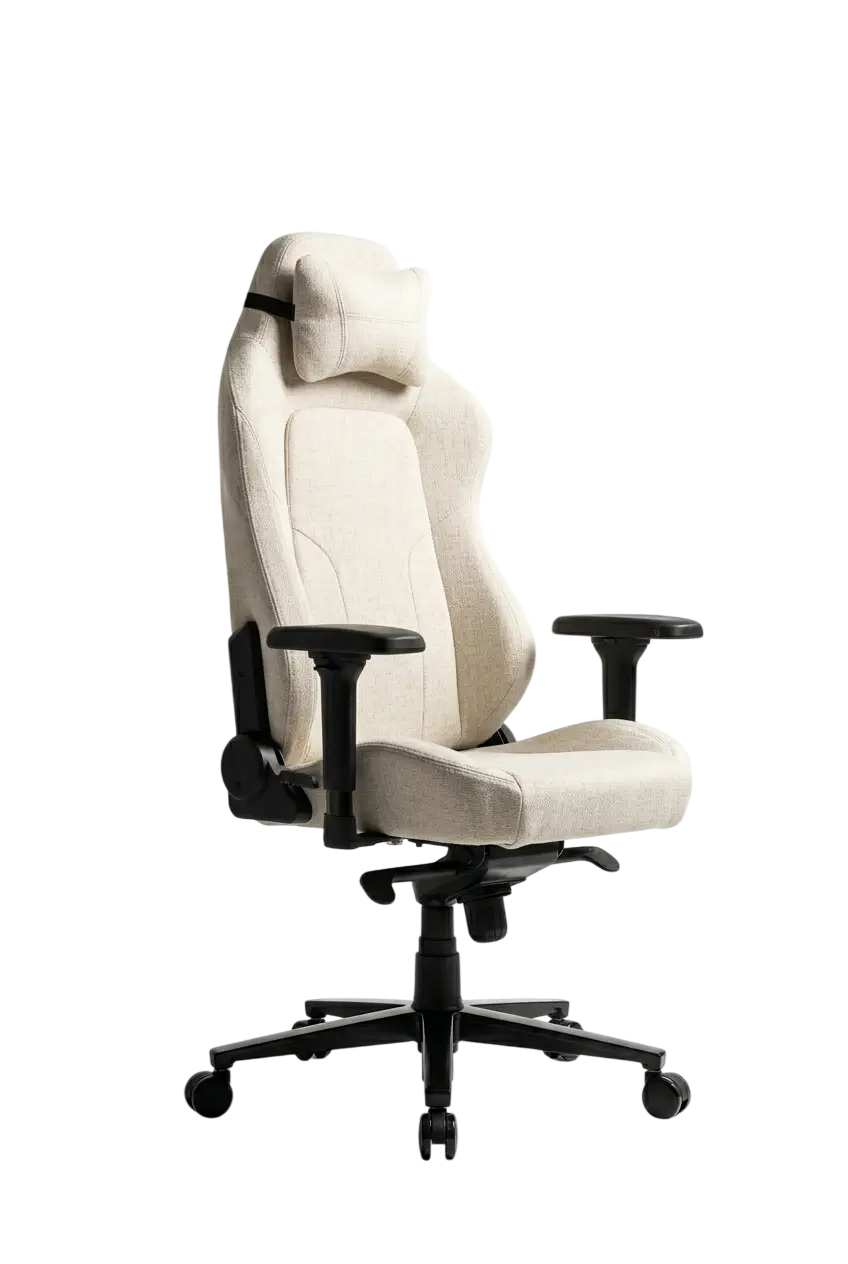
The gaming chair market is worth over $3 billion globally and growing at roughly 7% annually. It is also one of the most aggressively marketed product categories in consumer electronics, where a $120 chair and a $1,400 chair can share identical product photography, identical buzzwords ("ergonomic," "high-density foam," "premium PU leather"), and identical influencer endorsements. That makes it genuinely difficult to separate real quality differences from brand premium.
We have spent time across the full price spectrum — from $130 no-name Amazon chairs to $1,500 Herman Miller setups — and the honest picture is more nuanced than either "all budget chairs are junk" or "premium brands are just selling logos." Both extremes exist. The real question is: at what price point does quality actually improve, and where does the curve flatten out into pure brand markup?
What follows is a methodical breakdown of every component that actually matters, what the science of prolonged sitting says about gaming chairs specifically, and a practical decision framework based on real usage hours — not lifestyle aspirations.
What the Market Actually Looks Like in 2026
Before comparing tiers, you need a baseline understanding of where the money goes in this industry. Gaming chairs are manufactured almost entirely in China and Taiwan, often in the same factories. A chair sold under the Secretlab label, an AndaSeat label, and a lesser-known brand may share the same factory floor — but that factory will use different component grades, different quality-control processes, and different foam specifications depending on what the brand contracted for.
That means "same factory" does not mean "same chair." The differentiator is what specs the brand is willing to pay for — and whether they enforce quality control on every production run.
| Price Tier | Range (USD) | Who's There | What You Actually Get |
| Entry-level | $100–$200 | No-name brands, Homall, budget Dowinx | Basic 2D armrests, Class 2–3 gas lift, standard PU leather, 1-year warranty |
| Mid-entry | $200–$350 | Corsair TC100, Razer Iskur V2 X, GTRacing | Class 3 gas lift, 2–3D armrests, basic lumbar pillow, 1–2 year warranty |
| Mid-range | $350–$550 | Secretlab Titan Evo, AndaSeat Kaiser 3/4, AKRacing Core | 4D armrests, built-in adjustable lumbar, cold-cure foam, 3–5 year warranty |
| Upper-mid | $550–$900 | Razer Iskur V2 NewGen, ThunderX3 Flex Pro, Boulies Elite | Adaptive lumbar systems, mesh hybrids, 19+ adjustment dimensions |
| Premium | $900–$1,500 | Herman Miller x Logitech G Embody, Steelcase Leap | Research-backed ergonomics, 12-year warranty, modular construction |
| Ultra-premium | $1,500+ | Herman Miller Aeron configured, LiberNovo Omni | Institutional-grade durability, biomechanical engineering, size-specific frames |
The most important insight from this table: the $350–$550 range is where genuine ergonomic value consolidates. Below it, you are buying short-term comfort. Above it (up to ~$900), you are often paying for aesthetics and brand equity rather than proportionate quality gains. Above $900, you are buying a different product category entirely — ergonomic office furniture that happens to work for gaming.
The Internal Frame: Where Budget Chairs Quietly Fail
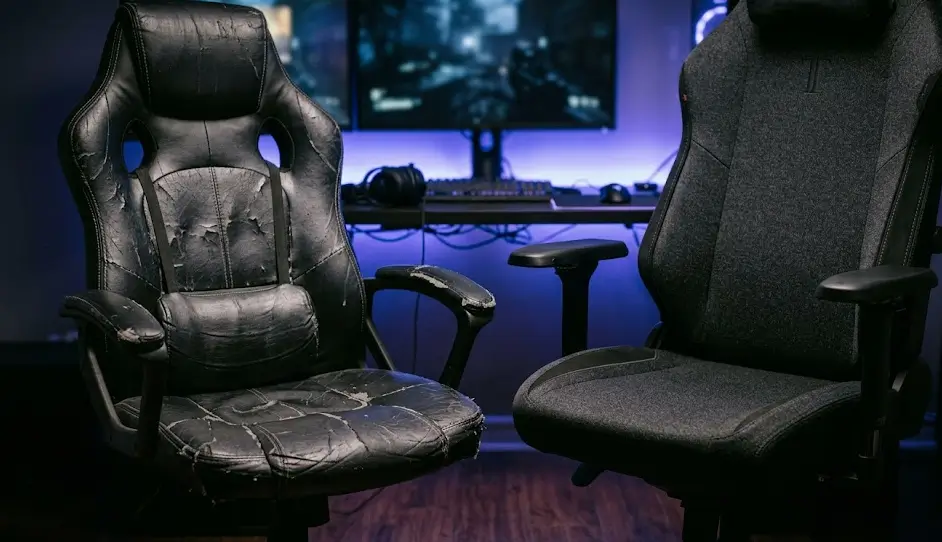
Most buyers evaluate gaming chairs by sitting in them briefly in a store or reading launch-day reviews. Neither reveals what actually determines a chair's lifespan: the internal steel frame. Frame quality varies on two dimensions — steel tube thickness and weld quality. Budget chairs use thinner-gauge tubing, often 1.2–1.5mm wall thickness, with mass-produced welds that leave stress concentrations at joint points. Premium chairs use 1.8–2.5mm+ tubing with more precise welding.
In our experience, the failure pattern on budget frames is consistent: between months 12–24 of daily use, you begin hearing creaking from the backrest-to-seat junction. By month 30, there is perceptible flex. This is not just an annoyance — frame flex means the chair is no longer holding you in the position it was designed for, quietly undermining whatever lumbar support it started with.
What good frame construction looks like at the component level:
- Steel frame: ≥1.8mm wall thickness, visible at the tilt mechanism housing
- Five-star base: reinforced aluminum alloy (not nylon) on chairs above $400
- Gas lift: Class 4 cylinder, rated for 150kg+ load at 50,000+ cycle tests
- Backrest-to-seat connection: multi-bolt junction, not a single-pivot plastic hinge
- Tilt mechanism: steel butterfly or frog mechanism with adjustable tension
The gas lift deserves specific attention. A Class 2 cylinder (budget) and a Class 4 cylinder (premium) both hold height when new. The difference appears over time: Class 2 cylinders begin sinking within 12–18 months of daily use on an 80kg+ user. Your chair slowly drops 1–2cm over weeks, the desk height relationship shifts, and you adapt your posture to compensate without realizing it. Class 4 cylinders from certified manufacturers (SGS, TÜV tested) maintain height across the chair's entire service life.
⚠ WARNING — The Gas Lift Trap: Many budget chairs (and some mid-range chairs) advertise "heavy-duty" or "adjustable" gas lifts without specifying the class rating or load certification. "Heavy-duty" is not a standard — it is marketing language. Always check whether the cylinder is BIFMA or SGS certified, and what the rated load capacity is. A cylinder rated at 100kg failing under a 90kg user is a documented failure mode that has caused injuries. The minimum you should accept for daily use: Class 4, rated ≥130kg.
Foam Density: The Quality Difference You Cannot See at Purchase
Here is what most buyers do not know: the foam in a gaming chair tells you almost nothing about how comfortable it will be in 18 months. It tells you how comfortable it is today.
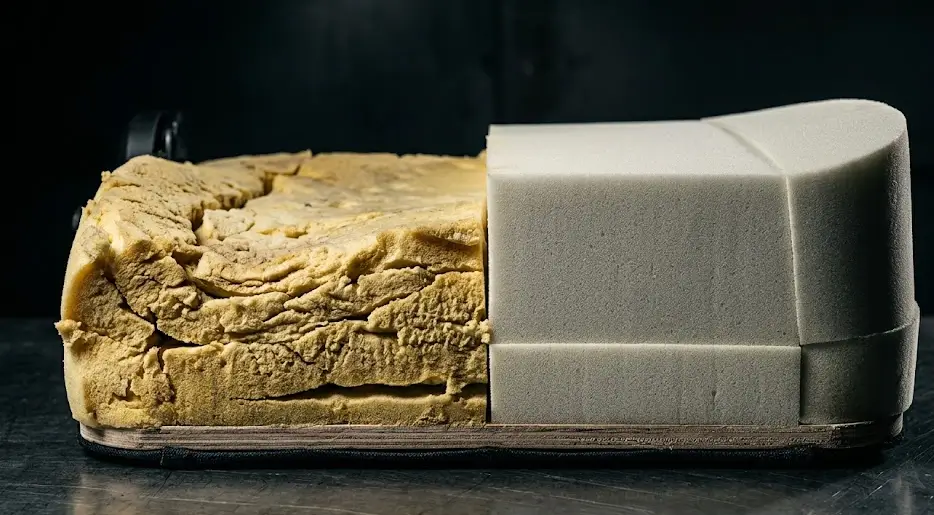
Standard polyurethane foam, used in the vast majority of budget chairs, has a density of approximately 1.5–2.0 lb/ft³. At this density, foam compresses progressively under load. After 6–12 months of daily 6–8 hour use, seat foam at these densities loses 15–25% of its original height — meaning the seat feels noticeably harder and the lumbar pillow has compressed away from your lower back.
| Foam Type | Typical Density | 1-Year Compression (6hrs/day) | Common Price Tier |
| Standard PU foam | 1.5–2.0 lb/ft³ | 15–25% height loss | Under $250 |
| High-density PU foam | 2.2–2.8 lb/ft³ | 8–15% height loss | $250–$400 |
| Cold-cure foam | 2.8–3.5 lb/ft³ | 3–8% height loss | $350+ |
| Memory foam (inserts) | Variable | Slow recovery under heat | Various |
| Herman Miller Pixelated Support | No foam (polymer nodes) | No compression degradation | $900+ |
Cold-cure foam (used by Secretlab, DXRacer Formula series, and others) undergoes a different manufacturing process — cured at ambient temperature rather than with applied heat — that produces a more consistent cell structure. Independent testing consistently shows cold-cure foam retains 90%+ of its original height after 3 years of daily use in the same load scenarios where standard foam has lost 20–25%.
Herman Miller's Pixelated Support system on the Embody represents a fundamentally different engineering approach. Instead of foam, the seat and backrest use 150+ individual polymer nodes that micro-adjust to your movements in real time. There is no compression degradation because there is no foam to compress. It feels firm by gaming-chair standards, but it does not create pressure points that foam inevitably does during 8+ hour sessions.
Upholstery: A Real Three-Way Tradeoff
The choice between PU leather, fabric, and mesh is not a style decision. In testing all three material types in environments ranging from 68°F (20°C) to 86°F (30°C), the thermal performance differences are significant and directly affect how long you can sit comfortably.
| Factor | Budget PU Leather | Premium PU Leather | Quality Fabric | Mesh (Premium) |
| Breathability | Poor | Poor–Fair | Good | Excellent |
| Thermal comfort (77°F / 25°C+) | Discomfort after 90 min | Discomfort after 120 min | Good to 3+ hours | No issues |
| Ease of cleaning | Easy | Easy | Moderate | Moderate |
| Durability | 12–18 months before cracking | 4–6 years | 4+ years | Decades (quality) |
| Cold climate feel | Unpleasantly cold initially | Less cold | Comfortable | Can feel cold |
| Spill resistance | High | High | Low | Moderate |
| Initial comfort impression | High (plush) | High | Medium-high | Lower (firm) |
PU leather is used in the majority of gaming chairs at all price points for clear reasons: it looks premium, cleans easily, and is cheaper to manufacture than alternatives. At lower quality grades, it begins cracking and peeling within 12–18 months — particularly along armrest edges and seat fold points. Quality-engineered PU leather (Secretlab's NEO Hybrid Leatherette, AndaSeat's DuraXtra) is engineered to resist delamination and can last 4–6 years without visible degradation.
The problem no quality engineering fully solves: breathability. In testing at 77°F (25°C) without air conditioning, PU leather chairs consistently produced sticky discomfort at skin contact points within 90–120 minutes. Fabric and mesh chairs in the same environment took 3–4 hours longer to reach equivalent discomfort levels.
Fabric upholstery — Secretlab's SoftWeave Plus, AndaSeat's EverSoft Linen — offers meaningfully better breathability. High-density polyester blends show minimal pilling, no tearing, and maintained weave tension across 4+ years of daily use. The maintenance tradeoff is real: fabric absorbs spills and body oils. Monthly vacuuming is necessary, and a deeper clean every 3–4 months with an upholstery brush is advisable.
Full mesh — used in Herman Miller, Steelcase, ASUS ROG Destrier, ThunderX3 Flex Pro — is the thermal performance winner. Air circulates continuously through the weave at all times. What mesh cannot offer is cushioning or the plush, hugging sensation racing seats provide. Budget mesh stretches and sags; Herman Miller's 8Z Pellicle and Steelcase equivalents maintain their tension across decades of use.
Adjustability: The Spec That Actually Predicts Long-Term Comfort
Adjustability is the single most accurate predictor of long-term comfort for a wide range of users. No chair design fits everyone — human bodies vary too much in torso length, shoulder width, hip width, and leg length for a fixed-geometry seat to serve multiple users correctly.
Armrests: The 2D to 6D Spectrum Explained
The marketing "D" ratings describe real, meaningful differences:
| Rating | Adjustments Available | Ergonomic Benefit | Typical Price Tier |
| 2D | Height + horizontal pivot | Minimal — fixed width and depth | Under $300 |
| 3D | + Forward/backward slide | Matches armrest to keyboard position | $250–$400 |
| 4D | + Width adjustment (left/right) | Full shoulder-elbow-wrist alignment | $350+ |
| 5D/6D | + Additional angles and rotations | Best for wider frames or unusual setups | $450+ |
The ergonomic target: elbows at 90–100 degrees, shoulders relaxed and dropped (not shrugged), forearms parallel to the desk surface. Armrests that are too high by even 2cm cause chronic trapezius muscle tension. 4D armrests let you correct every dimension of that problem.
Lumbar Support: The Most Health-Critical Feature
Lumbar support is where the budget-to-premium gap has the most direct impact on spinal health. OSHA research documents that static sitting creates 40–90% more spinal compressive load than standing — with poor lumbar support pushing that figure toward the upper end.
The three tiers of lumbar support found in gaming chairs:
- Removable lumbar pillow — shifts with movement, compresses within 6 months, provides the same curvature profile regardless of individual spinal anatomy. Common in chairs under $300.
- Built-in adjustable lumbar — mechanically integrated into the backrest with height and depth adjustment. Stays in position through recline. Secretlab's L-ADAPT system, Razer's adaptive lumbar on the Iskur V2 NewGen, and AndaSeat's pop-out lumbar on the Kaiser 4 are the benchmark examples.
- Dynamic lumbar systems — Herman Miller's Backfit adjustment physically reshapes the backrest angle to match your individual spinal curve. The Razer Iskur V2 NewGen's adaptive lumbar moves with you through the full recline range, maintaining contact regardless of backrest position.
⚠ WHAT MOST BUYERS MISS: "Built-in lumbar support" in a product listing can mean anything from a non-adjustable foam bump that happens to be fixed to the frame (barely better than a pillow) to a mechanically engineered system with 4cm of depth adjustment and independent height travel. Before purchasing any chair above $300, confirm: (1) Does lumbar height adjust independently? (2) Does lumbar depth (protrusion) adjust? (3) Does the lumbar maintain contact when you recline, or does it separate from your back? If a brand cannot answer these three questions clearly, the lumbar system is probably the cheapest category available.
Recline, Tilt, and the Mechanisms Nobody Explains
Most gaming chairs advertise a recline range (90°–155° is common). What they rarely explain clearly is the difference between backrest recline and seat tilt — two different mechanisms that work very differently:
- Backrest recline: The backrest angle changes while the seat pan remains flat. Good for watching content; less ideal for active gaming.
- Seat tilt (free-tilt): The entire seat rocks together around a pivot point near the front. This micro-movement encourages blood flow and prevents the static load accumulation that causes lower-back fatigue during long sessions.
- Synchro-tilt: Backrest and seat move together at a 2:1 ratio. Maintains the natural relationship between thigh angle and back angle through the full recline range. Used in quality office chairs and increasingly in gaming chairs above $500.
| Mechanism Type | Backrest | Seat | Ergonomic Benefit | Typical Tier |
| Basic recline only | Adjustable, locks | Fixed flat | Minimal during active use | Under $250 |
| Free-tilt with lock | Adjustable | Rocks 1:1 | Allows micro-movement | $200–$400 |
| Butterfly multi-lock | Multi-position lock | Slight tilt | Better positional variety | $300–$500 |
| Frog mechanism | Multi-position lock | Keeps seat level | Better stability during recline | $400–$600 |
| Synchro-tilt | Reclines fully | Tilts at 2:1 ratio | Best — maintains ergonomic angle throughout | $500+ |
The Science of Sitting: What Research Actually Says
The gaming chair industry routinely makes ergonomic claims without citing evidence. Here is what peer-reviewed research and certified testing actually shows.
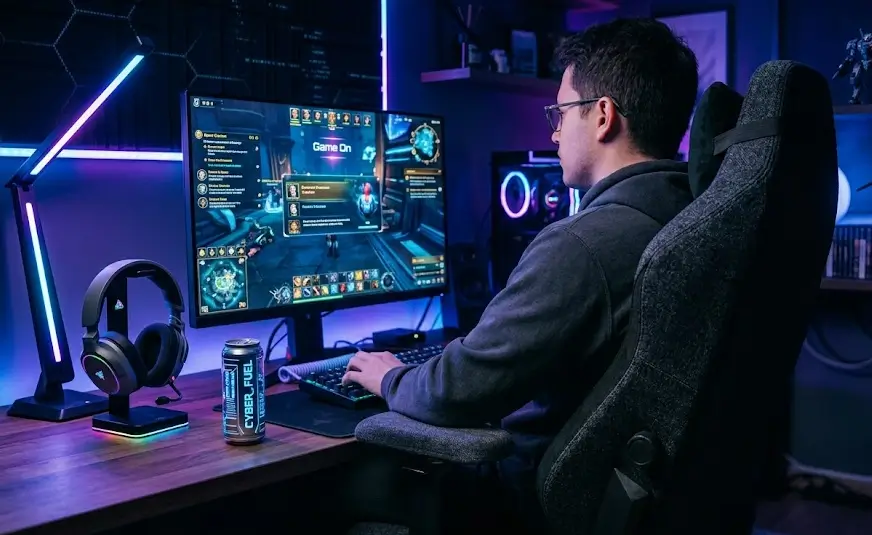
A 2024 study published on medRxiv compared the Herman Miller Aeron against a commercial gaming chair in a 2-hour League of Legends session with 33 esports players (average age 23). The gaming chair showed lower levels of muscle stiffness in the thoracic and lumbar regions. Players won 25% more matches and achieved 15% more kills in the gaming chair. Critically, 58% of participants preferred the gaming chair. This cuts directly against the narrative that office ergonomic chairs are always superior for gaming contexts.
Research in the Journal of Esports Gaming & Exercise (2024) found that specialized gaming chairs can reduce muscle stiffness by approximately 13.7% in key areas compared to standard, non-ergonomic office chairs. Meanwhile, a study in Applied Ergonomics found the Herman Miller Aeron ranked highest for maintaining neutral spine alignment — gaming chairs scored well on comfort but less favorably on promoting active, upright posture during extended desk work.
These two findings are not contradictory. They point to a functional distinction every buyer should internalize:
- Gaming chairs are optimized for dynamic, varied postures — watching, gaming, reclining. They perform well in gaming contexts specifically.
- Office ergonomic chairs are designed to support correct posture during active upright work — typing, reading, focused desk tasks. They perform better for 8+ hour professional use.
- What does not hold up under scrutiny: the claim that any chair automatically improves posture without proper adjustment and regular movement breaks. Prolonged sitting in any posture creates 40–90% more spinal compressive load than standing. No chair eliminates that physics.
Brand-by-Brand Analysis: Where the Premium Is Earned vs. Manufactured
Secretlab ($399–$599 for Titan Evo)
Secretlab was founded in 2014 by two StarCraft II players with one goal: build an ergonomic chair that survives long sessions without destroying your back. The Titan Evo consistently ranks at the top of gaming chair comparisons by PC Gamer, Tom's Hardware, and TechGearLab — through head-to-head component and user testing, not advertising relationships.
What the price buys: cold-cure foam seat, L-ADAPT 4-way adjustable lumbar (height, depth, pivot, swing), magnetic memory-foam neck pillow, 4D armrests, multi-size options (Small/Regular/XL accommodating 4'11"–6'9" and up to 395 lbs), SoftWeave Plus or NEO Hybrid Leatherette upholstery, and a 5-year extendable warranty. The Titan Evo has been independently validated by United States Ergonomics per International Ergonomics Association guidelines. The brand premium here is largely legitimate.
Where to be skeptical: Secretlab charges for licensed colorways (Star Wars, Cyberpunk, esports team editions) that are cosmetic only. A licensed Titan Evo and a standard one are the same chair underneath. Do not pay $100+ extra for a skin.
AndaSeat ($350–$600 for Kaiser Series)
AndaSeat's Kaiser 3 and Kaiser 4 are serious competitors to Secretlab in the $450–$550 range. The Kaiser 4's frog tilt mechanism (using thicker steel and aluminum alloys compared to the butterfly mechanism in cheaper models) provides more stability during recline than Secretlab's butterfly. The XL sizing accommodates larger frames with better thigh support than standard sizes. Prices regularly drop to $350–$400 during promotions.
Where AndaSeat falls short: quality control consistency. User reports of uneven foam density and armrest mechanisms developing wobble within 12 months appear more frequently in long-term reviews than for equivalent Secretlab models. The budget lines (Novis, Phantom 3) should not be purchased expecting Kaiser-series durability.
Razer ($289–$649 for Iskur Line)
The Iskur V2 X ($289) is an honest budget chair at an honest price: better than generic alternatives, worse than anything in the $400+ tier. The fixed lumbar is a real limitation — if your back does not align with the fixed curve, there is no correction available.
The Iskur V2 NewGen ($499–$649) is a categorically different product. The adaptive lumbar system — which moves with the backrest through the full recline range while maintaining lower-back contact — is one of the best lumbar implementations in any gaming chair at any price. The Razer brand adds approximately $50–$80 of price beyond functional value at this tier.
Where Razer's brand premium is unjustified: the Enki Pro at $999.99 charges nearly double the Titan Evo price primarily for Alcantara upholstery and aesthetics. The ergonomic performance improvement does not justify a 2× price premium. This is the clearest example in the gaming chair market of brand equity pricing outrunning functional quality.
Corsair ($169–$269 for TC100 Relaxed)
The Corsair TC100 Relaxed ($229 MSRP, frequently available for $160–$200 on promotion) delivers a wider "relaxed" seat design with less aggressive bolstering, fabric or leatherette options, and genuine ergonomic value for 3–4 hour sessions. The Corsair peripheral brand adds roughly $20–$30 above what a generic equivalent would cost. That is acceptable. For the user gaming 3–4 evenings per week, it is honest value.
Herman Miller ($1,295–$1,800+ for Aeron; ~$1,495 for x Logitech G Embody)
Herman Miller is a 120-year-old furniture manufacturer. Their chairs are not gaming chairs retrofitted with ergonomics — they are scientifically engineered ergonomic furniture adapted with gaming aesthetics. The 12-year warranty reflects the modular design philosophy: Herman Miller's modular construction allows replacement of individual components (armrests, casters, tilt mechanism), extending lifespan beyond a decade with proper maintenance.
The Embody's Pixelated Support and Backfit lumbar adjustment are validated by the U.S. Back Foundation's Scientific Back Support Certification. For someone sitting 8+ hours daily for 12 years, the cost-per-year is approximately $124 — roughly the same as a $400 gaming chair replaced every 3 years, but with dramatically better spinal health outcomes.
Who should NOT buy at this tier: anyone who games 2–3 hours per evening and does not use the chair for work. The Herman Miller premium is legitimate — but it is solving a professional, long-term ergonomic problem. For casual gaming only, it is overkill.
Price-Point Decision Framework
| Daily Use (hrs) | Primary Use | Recommended Category | Price Target (USD) |
| 1–3 hrs | Gaming/streaming only | Mid-entry gaming chair | $200–$350 |
| 3–5 hrs | Gaming + casual work | Mid-range gaming chair | $350–$550 |
| 5–8 hrs | Mixed work and gaming | Hybrid or premium gaming | $500–$800 |
| 8+ hrs | Primarily desk work + gaming | Ergonomic office chair | $800–$1,500+ |
| 8+ hrs (budget constraint) | Mixed daily use | Best available mid-range gaming | $350–$550 |
The Full Adjustability Checklist Before You Buy
Before purchasing any gaming chair above $250, verify these 12 features. Each one has a direct ergonomic function:
- Seat height range: Minimum 4" (10cm) of adjustment. Verify the lowest position allows feet flat on the floor for your height.
- Gas lift class: Class 4 minimum. Confirm certification (SGS, BIFMA, TÜV).
- Lumbar: height adjustable? The support should move up or down independently to match your L3–L5 region.
- Lumbar: depth adjustable? Protrusion should be tunable so the support actually makes contact with your lumbar curve.
- Lumbar: follows recline? Confirm whether lumbar stays in contact when you recline to 110°+.
- Armrests: 4D minimum? Height, width, depth, pivot.
- Seat depth adjustment? Particularly important for users ≤5'6" or ≥6'2".
- Recline range and multi-position lock: Locks at intermediate positions between 100–130°, not just upright and flat.
- Tilt tension adjustment: Knob that adjusts the resistance of seat rock to your weight.
- Headrest: adjustable height and angle? Fixed headrests typically do not match your cervical spine regardless of chair size.
- Weight capacity: Rated capacity minus 20kg is your effective safe maximum for daily-use longevity.
- Size option matching your height: If the brand offers S/M/L sizing, verify the range for your height. Wrong size negates any ergonomic benefit.
Component Quality Comparison by Price Tier
| Component | Under $200 | $200–$350 | $350–$600 | $600–$900 | $900+ |
| Frame steel thickness | 1.2–1.5mm | 1.4–1.8mm | 1.8–2.2mm | 2.0–2.5mm | 2.2mm+ / aluminum |
| Gas lift class | Class 2–3 | Class 3 | Class 4 | Class 4 | Class 4 / certified |
| Foam type | Standard PU | High-density PU | Cold-cure | Cold-cure / hybrid | No foam / polymer matrix |
| Upholstery durability | 12–18 months | 2–3 years | 4–6 years | 4–6 years | 10+ years |
| Armrest dimensions | 2D | 2–3D | 4D | 4D | 4D+ / continuous |
| Lumbar system | Pillow | Pillow / basic built-in | Adjustable built-in | Adaptive system | Backfit / dynamic |
| Tilt mechanism | Basic recline | Free-tilt | Multi-lock / butterfly | Synchro-tilt | Synchro / posture-dynamic |
| Warranty | 90 days – 1 year | 1–2 years | 3–5 years | 3–5 years | 12 years |
| Expected lifespan (daily use) | 1.5–2.5 years | 2–4 years | 5–7 years | 5–8 years | 10–15+ years |
| Size options | 1 | 1–2 | 2–3 | 1–3 | 3 (body-specific) |
Red Flags to Identify Before Buying
These signs indicate a chair is likely to underperform relative to its price — regardless of brand recognition:
- "Heavy-duty" gas lift advertised without class rating or load certification — not a standard, it is marketing language
- Warranty under 2 years on a chair priced above $300 — at $300+, 3 years minimum is the honest threshold
- Lumbar described as "built-in" without specifying the adjustment range — may be a fixed foam bump, not a mechanism
- Armrest described as "adjustable" with only height specified — 1D or 2D being passed off as adjustable
- "High-density foam" without density specification in lb/ft³ or kg/m³ — no spec means the brand does not want you comparing
- No size variants above $300 — one-size chairs above entry-level do not genuinely fit most of their buyers
- Celebrity or streamer endorsement as the primary editorial — endorsement contracts say nothing about actual ergonomic performance
- User reviews skewed heavily toward first-week experience — always find 6-month and 1-year reviews specifically before purchasing
Model Reference Table 2025–2026
| Chair | Price (USD) | Foam | Lumbar | Armrests | Warranty | Best For |
| Dowinx LS-6689S | $130–$160 | Standard PU | Pillow + vibration | 4D | 1 year | Budget, 2–3 hrs/session |
| Corsair TC100 Relaxed | $169–$229 | High-density PU | Pillow | 2D | 2 years | Budget, wide-frame users |
| Razer Iskur V2 X | $249–$289 | High-density PU | Fixed built-in arch | 2D | 2 years | Budget, posture-first |
| AKRacing Core SX | $299–$379 | Cold-cure | Pillow | 3D | 3 years | Mid-range, durability focus |
| Boulies Elite Series | $329–$399 | Cold-cure | Adjustable built-in | 4D | 3 years | Budget-premium crossover |
| Secretlab Titan Evo | $449–$549 | Cold-cure | L-ADAPT 4-way | 4D | 5 years (extendable) | Best mid-range all-rounder |
| AndaSeat Kaiser 4 | $479–$599 | Cold-cure | Pop-out multi-level | 5D–6D | 3 years | Larger frames, heavy use |
| Razer Iskur V2 NewGen | $499–$649 | Cold-cure | Adaptive (follows recline) | 4D | 3 years | Best gaming lumbar system |
| ThunderX3 Flex Pro | $549–$649 | Mesh hybrid | Adjustable | 4D | 3 years | Best mesh-hybrid gaming |
| Noblechairs HERO | $499–$699 | Cold-cure | Adjustable built-in | 4D | 2 years | Premium build, EU market |
| Herman Miller x Logitech G Embody | $1,495 | Polymer nodes | Backfit dynamic | 4D continuous | 12 years | Professional daily use |
| Herman Miller Aeron (B/C) | $1,395–$1,795 | 8Z mesh | PostureFit SL | 4D | 12 years | Full ergonomic investment |
The Cost-Per-Hour Reality Check
If you game or work at your desk for 6 hours daily, 5 days a week, you will sit in your chair approximately 1,560 hours per year. Here is what that actually costs you at different price points:
- $150 budget chair lasting 2 years: $0.048/hour — with degrading comfort and posture support after month 12
- $250 mid-entry chair lasting 3 years: $0.054/hour — better quality sustained longer
- $499 Secretlab Titan Evo lasting 6 years: $0.053/hour — comparable cost-per-hour, dramatically better ergonomic outcome throughout
- $1,495 Herman Miller Embody lasting 12 years: $0.080/hour — higher cost-per-hour, but with documented spinal health benefits and professional-grade durability
The math does not make the Herman Miller "too expensive" — it reframes what you are actually buying. If the ergonomic science behind it is solving a real problem you have (8+ hours of daily seated work, documented back issues, long-term investment mentality), the cost is defensible. If you are gaming 3 hours on weekends, you are buying more chair than you need.
The gaming chair sweet spot, for most buyers who will sit in it 4–6 hours daily: $400–$550, from a brand with documented long-term testing, genuine multi-size options, an adjustable built-in lumbar system, and a 3-year minimum warranty. That is where real quality consolidates — and where the cost-per-hour math makes the most sense across a realistic ownership horizon.
FAQ
The functional quality floor is around $300–$350. Below that, you are typically getting a Class 2–3 gas lift that will start sinking within 18 months, standard PU foam that compresses 15–25% in year one, and 2D armrests with fixed width. Above $350, you start seeing Class 4 gas lifts (SGS/BIFMA certified), cold-cure or high-density foam, and 4D armrests. The $449–$549 range from Secretlab and AndaSeat is where the largest quality-per-dollar improvement occurs. Below $250, only buy if you game under 10 hours per week and expect to replace the chair within 2–3 years.
For a pure gamer using the chair 4–6 hours per day: no. The Secretlab Titan Evo is independently ergonomics-certified, uses cold-cure foam with documented 6-year shape retention, and covers you for 5 years under warranty. The Herman Miller justifies its price for users sitting 8+ hours daily combining work and gaming, because the 12-year warranty, modular repairability, and Pixelated Support system represent a decade-long investment that amortizes to roughly $0.08/hour. If you only game evenings and weekends, the Herman Miller is solving problems you do not have.
Quality fabric (Secretlab SoftWeave Plus, AndaSeat EverSoft Linen) outlasts budget PU leather by a significant margin. Budget PU leather begins cracking at fold points within 12–18 months of daily use. Quality fabric from established brands shows no weave degradation after 4+ years of daily use. Premium engineered PU leather (Secretlab NEO Hybrid, AndaSeat DuraXtra) is competitive with fabric in durability, reaching 4–6 years. The practical choice: if you eat or drink at your desk, PU leather is easier to maintain. If you run warm or game in rooms above 75°F without A/C, quality fabric or mesh will be more comfortable throughout the chair's life.
"Built-in lumbar support" on a spec sheet can mean anything from a fixed foam bump (functionally barely better than a pillow) to a fully mechanized system with independent height and depth adjustment. A real built-in lumbar system has at minimum: (1) independent height adjustment of ≥3cm travel, (2) depth (protrusion) adjustment, and (3) the ability to maintain contact with your lower back when you recline to 110°+. If a brand's spec sheet says "built-in lumbar" but lists no adjustment range for height or depth, assume it is in the lower category. The Secretlab L-ADAPT, Razer Iskur V2 NewGen adaptive lumbar, and AndaSeat Kaiser 4 pop-out system are the three verified examples of genuine adjustable built-in lumbar in the mid-range tier.
Two measurements determine this: your height and your hip width. Standard gaming chairs fit users roughly 5'4"–6'1" with hip widths under 18 inches. If you are above 6'1", standard seat depth (typically 19–20 inches) will leave your knees extending beyond the cushion, creating pressure at the joint — you need a chair with ≥20 inch seat depth and ≥32 inch backrest height. If your hip width exceeds 18 inches, side bolsters on standard chairs will compress your thighs even if weight capacity is adequate. Secretlab's three-size Titan Evo (Small/Regular/XL) and AndaSeat's Kaiser series with XL variant are the most accessible solutions. Do not buy a chair sized for another body and expect adjustments to compensate — size is a fundamental fit issue, not an adjustment issue.